Building Subscription Services with Base Recurring Payments
Learn how to implement onchain recurring payments using Base's Spend Permissions feature for subscription-based revenue without merchant fees.
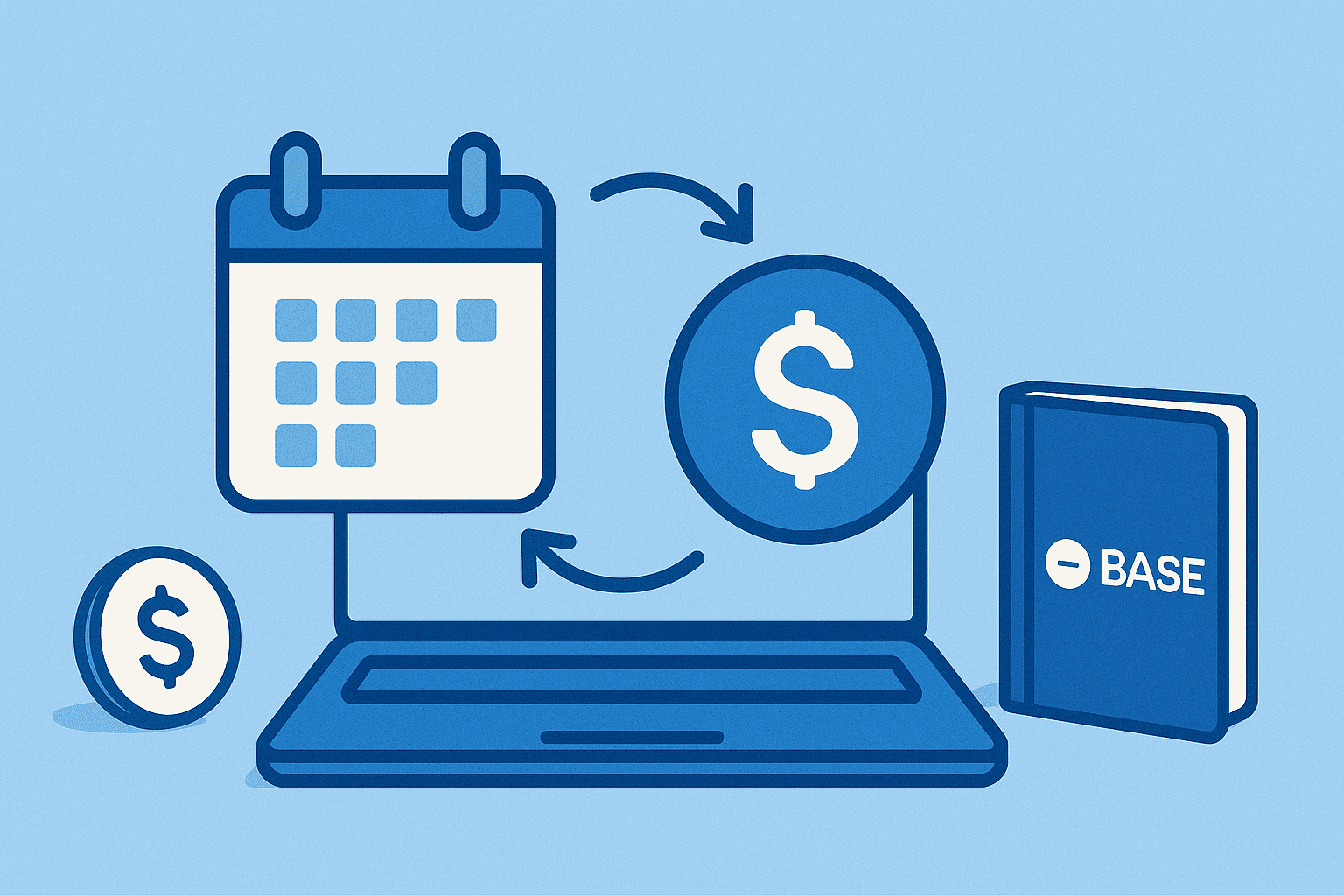
Traditional subscription services rely on credit card processors that charge 2.9% + $0.30 per transaction. What if you could accept recurring payments with zero merchant fees while giving users complete control through their wallet? Base's Spend Permissions make this possible.
What Are Spend Permissions?
Spend Permissions are an onchain primitive that allows users to grant revocable spending rights to applications. Think of it as a "subscription approval" in your crypto wallet that you can cancel anytime.
Zero Fee Revenue
Unlike traditional payment processors, Base recurring payments have no transaction fees. You receive 100% of the subscription amount instantly in USDC.
Key Features
Base's subscription system offers flexibility that rivals traditional payment processors:
- Flexible billing periods: Daily, weekly, monthly, annual, or custom (14-90 days)
- Variable charges: Fixed amounts, usage-based with caps, tiered pricing
- Real-time control: Instant cancellation, remaining charge tracking, next billing date visibility
- Enterprise ready: Testnet support, programmatic SDK, instant USDC settlement
Architecture Overview
Implementing subscriptions requires both client and server components:
Client-Side (Frontend)
- Subscription UI for users to initiate subscriptions
- Wallet integration for approval requests
- Status display and cancellation controls
Server-Side (Backend)
- Dedicated subscription owner wallet (secure private key storage)
- Scheduled billing jobs (cron or queue-based)
- Subscription database (store IDs, payer addresses, billing cycles)
- Retry logic and failure handlers
- Status verification before each charge
Critical Security Note
Never expose private keys in client-side code. Your subscription owner wallet must be secured on the backend with proper key management practices.
Implementation Guide
Let's build a subscription service step by step.
Prerequisites
Install the required packages:
npm install @base-org/account viemRequired dependencies:
@base-org/account- Base Account SDK for subscription managementviem- Ethereum client for wallet operationsviem/accounts- Account utilities (privateKeyToAccount)viem/chains- Base chain configuration
Step 1: Client-Side Subscription Creation
First, create a React component that allows users to subscribe:
'use client';

import { useState } from 'react';
import { base } from '@base-org/account';

interface SubscribeButtonProps {
  planName: string;
  monthlyPrice: string;
  subscriptionOwner: string;
}

export function SubscribeButton({
  planName,
  monthlyPrice,
  subscriptionOwner
}: SubscribeButtonProps) {
  const [isSubscribing, setIsSubscribing] = useState(false);
  const [subscriptionId, setSubscriptionId] = useState<string | null>(null);

  const handleSubscribe = async () => {
    setIsSubscribing(true);

    try {
      const subscription = await base.subscription.subscribe({
        recurringCharge: monthlyPrice,
        subscriptionOwner: subscriptionOwner,
        periodInDays: 30,
        testnet: false
      });

      setSubscriptionId(subscription.id);

      // Send subscription ID to your backend
      await fetch('/api/subscriptions', {
        method: 'POST',
        headers: { 'Content-Type': 'application/json' },
        body: JSON.stringify({
          subscriptionId: subscription.id,
          payerAddress: subscription.payer,
          planName,
          amount: monthlyPrice
        })
      });

      alert('Subscription activated!');
    } catch (error) {
      console.error('Subscription failed:', error);
      alert('Failed to create subscription');
    } finally {
      setIsSubscribing(false);
    }
  };

  return (
    <div className="rounded-lg border border-gray-200 p-6">
      <h3 className="mb-2 text-xl font-bold">{planName}</h3>
      <p className="mb-4 text-3xl font-bold">${monthlyPrice} USDC/mo</p>

      <button
        onClick={handleSubscribe}
        disabled={isSubscribing || !!subscriptionId}
        className="w-full rounded bg-blue-600 px-6 py-3 font-semibold text-white hover:bg-blue-700 disabled:opacity-50"
      >
        {isSubscribing ? 'Processing...' : subscriptionId ? 'Subscribed' : 'Subscribe'}
      </button>

      {subscriptionId && (
        <p className="mt-2 text-sm text-gray-600">
          Subscription ID: {subscriptionId.slice(0, 10)}...
        </p>
      )}
    </div>
  );
}
This component:
- Displays the subscription plan details
- Initiates the subscription via Base SDK when clicked
- Stores the subscription ID and payer address in your backend
- Provides user feedback throughout the process
User Experience
The user approves the spending permission once in their wallet. After approval, your backend can charge automatically each billing period without additional user interaction.
Step 2: Backend API Endpoint
Create an API endpoint to store subscription data:
import { NextRequest, NextResponse } from 'next/server';
import { db } from '@/lib/db'; // Your database client

export async function POST(request: NextRequest) {
  try {
    const { subscriptionId, payerAddress, planName, amount } = await request.json();

    // Validate inputs
    if (!subscriptionId || !payerAddress || !planName || !amount) {
      return NextResponse.json(
        { error: 'Missing required fields' },
        { status: 400 }
      );
    }

    // Store in database
    await db.subscriptions.create({
      data: {
        subscriptionId,
        payerAddress,
        planName,
        amount,
        status: 'active',
        nextBillingDate: new Date(Date.now() + 30 * 24 * 60 * 60 * 1000), // 30 days
        createdAt: new Date()
      }
    });

    return NextResponse.json({ success: true });
  } catch (error) {
    console.error('Error storing subscription:', error);
    return NextResponse.json(
      { error: 'Failed to store subscription' },
      { status: 500 }
    );
  }
}
Step 3: Server-Side Charge Execution
Create a scheduled job to process recurring charges. This runs on your backend (never expose this code to the client):
import { base } from '@base-org/account';
import { createWalletClient, http } from 'viem';
import { privateKeyToAccount } from 'viem/accounts';
import { base as baseChain } from 'viem/chains';
import { db } from '@/lib/db';

// CRITICAL: Store this securely (environment variable, secret manager, etc.)
const SUBSCRIPTION_OWNER_PRIVATE_KEY = process.env.SUBSCRIPTION_OWNER_PRIVATE_KEY!;

export async function processSubscriptions() {
  // Initialize wallet client with your subscription owner account
  const account = privateKeyToAccount(SUBSCRIPTION_OWNER_PRIVATE_KEY as `0x${string}`);

  const walletClient = createWalletClient({
    account,
    chain: baseChain,
    transport: http()
  });

  // Get subscriptions due for billing
  const dueSubscriptions = await db.subscriptions.findMany({
    where: {
      status: 'active',
      nextBillingDate: {
        lte: new Date()
      }
    }
  });

  console.log(`Processing ${dueSubscriptions.length} subscriptions`);

  for (const subscription of dueSubscriptions) {
    try {
      // Check subscription status first
      const status = await base.subscription.getStatus({
        id: subscription.subscriptionId,
        testnet: false
      });

      if (!status.isActive) {
        // User cancelled subscription
        await db.subscriptions.update({
          where: { id: subscription.id },
          data: { status: 'cancelled' }
        });
        console.log(`Subscription ${subscription.subscriptionId} cancelled by user`);
        continue;
      }

      // Prepare charge transaction
      const chargeCalls = await base.subscription.prepareCharge({
        id: subscription.subscriptionId,
        amount: 'max-remaining-charge', // Charge full allowed amount
        testnet: false
      });

      // Execute each call sequentially
      for (const call of chargeCalls) {
        const hash = await walletClient.sendTransaction({
          to: call.to as `0x${string}`,
          data: call.data as `0x${string}`,
          value: call.value || 0n
        });

        // Wait for confirmation
        await walletClient.waitForTransactionReceipt({ hash });
      }

      // Update subscription record
      await db.subscriptions.update({
        where: { id: subscription.id },
        data: {
          lastChargeDate: new Date(),
          nextBillingDate: new Date(Date.now() + 30 * 24 * 60 * 60 * 1000),
          totalCharges: { increment: 1 }
        }
      });

      console.log(`Successfully charged subscription ${subscription.subscriptionId}`);

    } catch (error) {
      console.error(`Failed to charge subscription ${subscription.subscriptionId}:`, error);

      // Update retry count
      await db.subscriptions.update({
        where: { id: subscription.id },
        data: {
          failedAttempts: { increment: 1 }
        }
      });

      // Mark as failed after 3 attempts
      if (subscription.failedAttempts >= 2) {
        await db.subscriptions.update({
          where: { id: subscription.id },
          data: { status: 'payment_failed' }
        });
      }
    }
  }
}
Spending Limits
The spending limit resets each billing period. Unused amounts do not roll over to the next period.
Step 4: Schedule Billing Jobs
You have several options for scheduling:
Option 1: Vercel Cron Jobs
import { NextRequest, NextResponse } from 'next/server';
import { processSubscriptions } from '@/lib/billing/process-subscriptions';

export async function GET(request: NextRequest) {
  // Verify cron secret
  const authHeader = request.headers.get('authorization');
  if (authHeader !== `Bearer ${process.env.CRON_SECRET}`) {
    return NextResponse.json({ error: 'Unauthorized' }, { status: 401 });
  }

  try {
    await processSubscriptions();
    return NextResponse.json({ success: true });
  } catch (error) {
    console.error('Billing cron failed:', error);
    return NextResponse.json({ error: 'Failed' }, { status: 500 });
  }
}
Add to vercel.json:
{
  "crons": [{
    "path": "/api/cron/billing",
    "schedule": "0 0 * * *"
  }]
}
Option 2: Node.js Cron
import cron from 'node-cron';
import { processSubscriptions } from './process-subscriptions';

// Run every day at midnight
cron.schedule('0 0 * * *', async () => {
  console.log('Running billing job...');
  await processSubscriptions();
});
Step 5: Subscription Management UI
Give users visibility into their subscription:
'use client';

import { useState, useEffect } from 'react';
import { base } from '@base-org/account';

interface SubscriptionStatusProps {
  subscriptionId: string;
}

export function SubscriptionStatus({ subscriptionId }: SubscriptionStatusProps) {
  const [status, setStatus] = useState<any>(null);
  const [loading, setLoading] = useState(true);

  useEffect(() => {
    async function checkStatus() {
      try {
        const result = await base.subscription.getStatus({
          id: subscriptionId,
          testnet: false
        });
        setStatus(result);
      } catch (error) {
        console.error('Failed to fetch status:', error);
      } finally {
        setLoading(false);
      }
    }

    checkStatus();
    // Refresh every 30 seconds
    const interval = setInterval(checkStatus, 30000);
    return () => clearInterval(interval);
  }, [subscriptionId]);

  if (loading) return <div>Loading subscription status...</div>;
  if (!status) return <div>Subscription not found</div>;

  return (
    <div className="rounded-lg border p-6">
      <h3 className="mb-4 text-xl font-bold">Subscription Status</h3>

      <div className="space-y-2">
        <div className="flex justify-between">
          <span className="text-gray-600">Status:</span>
          <span className={`font-semibold ${status.isActive ? 'text-green-600' : 'text-red-600'}`}>
            {status.isActive ? 'Active' : 'Inactive'}
          </span>
        </div>

        <div className="flex justify-between">
          <span className="text-gray-600">Next billing date:</span>
          <span className="font-semibold">
            {new Date(status.nextChargeDate).toLocaleDateString()}
          </span>
        </div>

        <div className="flex justify-between">
          <span className="text-gray-600">Remaining this period:</span>
          <span className="font-semibold">
            ${status.remainingCharge} USDC
          </span>
        </div>
      </div>

      <button
        onClick={() => window.open('https://wallet.coinbase.com/subscriptions', '_blank')}
        className="mt-4 w-full rounded border border-red-500 px-4 py-2 text-red-500 hover:bg-red-50"
      >
        Manage in Wallet
      </button>
    </div>
  );
}Testing Your Implementation
Always test on Base Sepolia testnet first:
import { base } from '@base-org/account';

async function testSubscription() {
  // Use testnet: true for Base Sepolia
  const subscription = await base.subscription.subscribe({
    recurringCharge: "1.00", // $1 USDC for testing
    subscriptionOwner: "0xYourTestWallet",
    periodInDays: 1, // Daily billing for faster testing
    testnet: true
  });

  console.log('Test subscription created:', subscription.id);

  // Check status
  const status = await base.subscription.getStatus({
    id: subscription.id,
    testnet: true
  });

  console.log('Status:', status);
}

testSubscription();
Rapid Testing
Use daily billing periods on testnet to test the full subscription lifecycle without waiting 30 days between charges.
Billing Period Options
Choose the right billing period for your use case:
| Period | Days | Use Case |
|---|---|---|
| Daily | 1 | High-frequency services, testing |
| Weekly | 7 | Short-term subscriptions |
| Bi-weekly | 14 | Paycheck-aligned billing |
| Monthly | 30 | Standard subscriptions |
| Quarterly | 90 | Long-term commitments |
You can also set custom periods between 14-90 days for unique business models.
Advanced: Usage-Based Billing
Charge variable amounts based on actual usage:
import { base } from '@base-org/account';

async function chargeUsage(subscriptionId: string, usageAmount: string) {
  // User approved max charge of $100/month
  // But you only charge what they actually used

  const chargeCalls = await base.subscription.prepareCharge({
    id: subscriptionId,
    amount: usageAmount, // Charge actual usage instead of max
    testnet: false
  });

  // Execute charge...
  // (same pattern as before)
}

// Example: Charge based on API calls
const apiCallsThisMonth = 15000;
const pricePerThousandCalls = 2.00; // $2 per 1000 calls
const chargeAmount = (apiCallsThisMonth / 1000 * pricePerThousandCalls).toFixed(2);

await chargeUsage(subscriptionId, chargeAmount);
Error Handling Best Practices
Implement robust error handling for production:
interface ChargeError {
  subscriptionId: string;
  error: string;
  timestamp: Date;
  retryable: boolean;
}

async function chargeWithRetry(
  subscriptionId: string,
  maxRetries: number = 3
): Promise<boolean> {
  for (let attempt = 1; attempt <= maxRetries; attempt++) {
    try {
      const status = await base.subscription.getStatus({
        id: subscriptionId,
        testnet: false
      });

      if (!status.isActive) {
        // Non-retryable: subscription cancelled
        await logError({
          subscriptionId,
          error: 'Subscription cancelled by user',
          timestamp: new Date(),
          retryable: false
        });
        return false;
      }

      if (parseFloat(status.remainingCharge) === 0) {
        // Non-retryable: no remaining charge
        await logError({
          subscriptionId,
          error: 'No remaining charge available',
          timestamp: new Date(),
          retryable: false
        });
        return false;
      }

      // Attempt charge
      const chargeCalls = await base.subscription.prepareCharge({
        id: subscriptionId,
        amount: 'max-remaining-charge',
        testnet: false
      });

      // Execute transactions...
      // (wallet client code)

      return true; // Success

    } catch (error) {
      console.error(`Attempt ${attempt} failed:`, error);

      if (attempt < maxRetries) {
        // Exponential backoff
        await new Promise(resolve =>
          setTimeout(resolve, Math.pow(2, attempt) * 1000)
        );
      } else {
        // Final failure
        await logError({
          subscriptionId,
          error: error instanceof Error ? error.message : 'Unknown error',
          timestamp: new Date(),
          retryable: true
        });
        return false;
      }
    }
  }

  return false;
}

async function logError(error: ChargeError) {
  // Log to your monitoring system
  console.error('Charge error:', error);
  // Send alert if critical
  if (!error.retryable) {
    // await sendAlert(error);
  }
}
Network Support
Base recurring payments work on:
- Base Mainnet (Chain ID: 8453) - Production
- Base Sepolia (Chain ID: 84532) - Testing
import { base, baseSepolia } from 'viem/chains';

// Production
const productionClient = createWalletClient({
  chain: base,
  transport: http()
});

// Testing
const testnetClient = createWalletClient({
  chain: baseSepolia,
  transport: http()
});
User Experience Benefits
Compared to traditional payment methods:
Traditional Credit Cards:
- ❌ 2.9% + $0.30 transaction fee
- ❌ Hidden cancellation flows
- ❌ Opaque billing practices
- ❌ Chargeback risk for merchants
Base Spend Permissions:
- ✅ Zero transaction fees
- ✅ Cancel anytime in wallet
- ✅ Transparent onchain records
- ✅ No chargebacks (onchain finality)
- ✅ Instant USDC settlement
Cost Savings Example
A $29.99/month subscription with 1,000 users:
- Traditional: Lose $1,164/month to fees (2.9% + $0.30 × 1000)
- Base: Keep 100% = $29,990/month
- Annual savings: $13,968
Production Deployment Checklist
Before launching your subscription service:
- Secure private key storage (environment variables, secret manager)
- Database backup and redundancy
- Monitoring and alerting for failed charges
- User notification system (email/SMS on billing events)
- Graceful degradation for API failures
- Testnet testing completed with full lifecycle
- Legal compliance (terms of service, cancellation policy)
- Support system for subscription inquiries
- Analytics tracking (MRR, churn, failed payments)
- Retry logic with exponential backoff
Monitoring Subscriptions
Track key metrics for your subscription business:
export async function getSubscriptionMetrics() {
  const metrics = await db.subscriptions.aggregate({
    _count: {
      _all: true
    },
    _sum: {
      amount: true
    },
    where: {
      status: 'active'
    }
  });

  const mrr = parseFloat(metrics._sum.amount || '0');
  const activeSubscriptions = metrics._count._all;

  const churnRate = await calculateChurnRate();

  return {
    monthlyRecurringRevenue: mrr,
    activeSubscriptions,
    churnRate,
    averageRevenuePerUser: mrr / activeSubscriptions
  };
}

async function calculateChurnRate() {
  const thirtyDaysAgo = new Date(Date.now() - 30 * 24 * 60 * 60 * 1000);

  const startCount = await db.subscriptions.count({
    where: {
      createdAt: { lte: thirtyDaysAgo },
      status: 'active'
    }
  });

  const churned = await db.subscriptions.count({
    where: {
      createdAt: { lte: thirtyDaysAgo },
      status: 'cancelled',
      updatedAt: { gte: thirtyDaysAgo }
    }
  });

  return (churned / startCount) * 100;
}Real-World Use Cases
Base recurring payments are perfect for:
- SaaS Applications: Developer tools, analytics platforms, APIs
- Content Platforms: Premium articles, video streaming, podcasts
- Gaming: Battle passes, premium memberships, in-game perks
- NFT Utilities: Access-gated communities, exclusive drops
- DeFi Services: Portfolio tracking, automated strategies, alerts
Comparison: SDK Methods
| Method | Purpose | When to Use |
|---|---|---|
subscribe() | Create subscription | Client-side, user initiates |
getStatus() | Check active status | Before charging, status display |
prepareCharge() | Generate charge tx | Server-side billing job |
Migration from Web2 Payments
Already have a subscription service using Stripe/PayPal? Here's how to migrate:
- Dual Mode: Run both systems in parallel
- Incentivize: Offer 10-20% discount for crypto payments
- Grandfather: Honor existing commitments
- Migrate: Gradually transition users
- Sunset: Phase out traditional payments
Common Pitfalls
Avoid these mistakes:
- Exposing Private Keys: Never send private keys to client
- No Status Checks: Always verify subscription is active before charging
- Poor Error Handling: Implement retries with exponential backoff
- Ignoring Cancellations: Check status regularly to catch user cancellations
- No Monitoring: Set up alerts for failed charges
Critical Implementation Details
These are the critical implementation details you must get right to avoid transaction failures and subscription issues. I learned these the hard way during development.
1. Transaction Sequencing (CRITICAL)
The Problem: When executing immediate payments on subscription creation, Transaction 2 fails with "execution reverted" even though Transaction 1 succeeds.
Root Cause: The SDK returns multiple transactions that must be executed sequentially. If you don't wait for Transaction 1 to be confirmed onchain before sending Transaction 2, the second transaction will fail because it depends on the state changes from the first transaction.
The Fix: Always wait for transaction confirmation between sequential transactions:
// ❌ WRONG - This will cause Transaction 2 to fail
for (const call of chargeCalls) {
  const hash = await walletClient.sendTransaction({
    to: call.to as `0x${string}`,
    data: call.data as `0x${string}`,
    value: call.value || 0n
  });
  // Missing waitForTransactionReceipt!
}

// ✅ CORRECT - Wait for confirmation before next transaction
for (let i = 0; i < chargeCalls.length; i++) {
  const call = chargeCalls[i];

  console.log(`Sending transaction ${i + 1}...`);
  const hash = await walletClient.sendTransaction({
    to: call.to as `0x${string}`,
    data: call.data as `0x${string}`,
    value: call.value || 0n
  });

  // CRITICAL: Wait for confirmation before proceeding
  console.log(`Waiting for transaction ${i + 1} confirmation...`);
  await walletClient.waitForTransactionReceipt({ hash });
  console.log(`Transaction ${i + 1} confirmed`);
}
Transaction Sequencing
Without waitForTransactionReceipt, your transactions will fail silently. The first transaction registers the spend permission, and the second transaction executes the charge. The second transaction cannot succeed until the first is confirmed onchain.
2. maxSpendLimit Configuration (CRITICAL)
The Problem: After the first charge succeeds, all subsequent charges fail because prepareCharge returns empty transactions.
Root Cause: If you set maxSpendLimit equal to recurringCharge, the user can only ever be charged once. The spend permission has a lifetime limit that prevents any further charges once exhausted.
The Fix: Set maxSpendLimit to a multiple of your recurring charge to allow multiple billing periods:
// ❌ WRONG - Only allows ONE charge ever
const permission = await spendPermissionManager.approveWithSignature({
  account: account as SmartAccountClient,
  args: {
    spender: subscriptionOwner as Address,
    token: USDC_ADDRESS,
    allowance: parseUnits(amount, 6), // Monthly charge
    period: 2592000, // 30 days
    start: startTimestamp,
    end: endTimestamp,
    salt: BigInt(salt),
    extraData: '0x' as `0x${string}`,
    maxSpendLimit: parseUnits(amount, 6), // ❌ Same as monthly!
  }
});

// ✅ CORRECT - Allow 12 months of charges
const monthlyAmount = parseFloat(amount);
const maxLimit = (monthlyAmount * 12).toString(); // Annual allowance

const permission = await spendPermissionManager.approveWithSignature({
  account: account as SmartAccountClient,
  args: {
    spender: subscriptionOwner as Address,
    token: USDC_ADDRESS,
    allowance: parseUnits(amount, 6), // Monthly charge
    period: 2592000,
    start: startTimestamp,
    end: endTimestamp,
    salt: BigInt(salt),
    extraData: '0x' as `0x${string}`,
    maxSpendLimit: parseUnits(maxLimit, 6), // ✅ 12x monthly amount
  }
});
Why This Matters: The maxSpendLimit is the total lifetime limit across all periods. If you charge $10/month and set maxSpendLimit to $10, the subscription dies after the first charge. Setting it to $120 (12 months) allows a year of billing.
Spend Limits
Think of maxSpendLimit as the total lifetime budget and allowance as the per-period budget. For a $10/month subscription with 12-month lifetime, set allowance to $10 and maxSpendLimit to $120.
3. SDK Response Format Handling
The Problem: prepareCharge sometimes returns data in an unexpected format, causing transaction execution to fail.
Root Cause: The SDK's prepareCharge method returns an array directly (e.g., ['0', '1'] array keys), not always wrapped in a { transactions: [...] } object.
The Fix: Handle both response formats:
// Check if SDK returned array directly or wrapped object
export async function prepareChargeTransactions(
  subscriptionId: string,
  amount: string = 'max-remaining-charge'
) {
  const prepared = await spendPermissionManager.prepareCharge({
    subscriptionId,
    amount,
  });

  // SDK might return array directly
  if (Array.isArray(prepared)) {
    return { transactions: prepared };
  }

  // Or it might return { transactions: [...] }
  return prepared;
}
4. Amount Formatting (Common Error)
The Problem: Subscription amounts show as millions in the UI or fail to process correctly.
Root Cause: Incorrectly assuming the SDK uses wei (6 decimal places for USDC) when it actually expects human-readable amounts.
The Fix: Pass amounts as regular decimal strings:
// ❌ WRONG - Don't multiply by 10^6
await base.subscription.subscribe({
  recurringCharge: String(amount * 1_000_000), // Wrong!
  subscriptionOwner,
  periodInDays: 30,
});

// ✅ CORRECT - Pass the actual dollar amount
await base.subscription.subscribe({
  recurringCharge: "9.99", // For $9.99
  subscriptionOwner,
  periodInDays: 30,
});
Amount Format
If you want to charge $1.00, pass the string "1" or "1.00". The SDK handles the conversion to USDC's 6 decimal places internally.
5. Smart Wallet Address Confusion
The Problem: Users subscribe successfully but the subscription doesn't appear in your database queries by connected wallet address.
Root Cause: When users connect with MetaMask or other EOA wallets, Coinbase automatically provisions a Smart Wallet for them. The subscription is created with the Smart Wallet address, not the EOA address.
The Fix: Store both addresses and understand which one to use:
// Capture the actual payer address from the subscription response
const subscription = await base.subscription.subscribe({
  recurringCharge: amount,
  subscriptionOwner,
  periodInDays: 30,
});

// subscription.payer is the Smart Wallet address (use this!)
await fetch('/api/subscriptions', {
  method: 'POST',
  body: JSON.stringify({
    subscriptionId: subscription.id,
    payerAddress: subscription.payer, // This is the Smart Wallet
    connectedAddress: address, // This is the EOA (optional reference)
  })
});
Key Point: Always use subscription.payer from the SDK response for database storage and subscription lookups. This is the actual address that holds the spend permission.
6. Gas Funding Requirements
The Problem: Transaction fails with "insufficient funds for transfer" even though the subscription owner wallet has USDC.
Root Cause: The subscription owner wallet needs ETH (on Base) to pay for gas fees when executing charges, not just USDC.
The Fix: Ensure your server wallet has both:
- USDC (to receive subscription payments)
- ETH on Base (to pay for transaction gas)
# Fund your subscription owner wallet
# 1. Send ETH for gas (0.01 ETH is usually plenty)
# 2. USDC will be received from subscription charges
Gas Costs
Base transaction fees are extremely low (often under $0.01 per transaction). Keep at least 0.01 ETH in your subscription owner wallet for gas.
7. Permission Hash Capture
The Problem: Unable to query subscription status or execute charges because you don't have the permission hash.
Root Cause: Not capturing and storing the permissionHash returned from the subscription creation process.
The Fix: Store the permission hash when creating subscriptions:
// After subscription creation, store ALL relevant data
await db.subscriptions.create({
  data: {
    subscriptionId: subscription.id,
    permissionHash: subscription.permissionHash, // Don't forget this!
    payerAddress: subscription.payer,
    planName,
    amount,
    status: 'active',
  }
});
Common Gotchas
During building this demo I ran into additional issues:
-
Amount Formatting: I wanted 0.09, 0.99, and 9.99 subscriptions, but they were being passed as
amount * 10^6assuming the SDK was using wei. You just need to pass the actual amount. For $1.00, pass"1"or"1.00". -
Smart Wallet Addresses: When connecting with MetaMask/Rabby wallet, Coinbase attaches a "SmartWallet" to that account. You're subscribing with the SmartWallet address, not your connected EOA address. Capture the
payeraddress from the subscription response, not the wallet connection address. -
Testing Cadence: Use
periodInDays: 1on testnet for rapid testing. Waiting 30 days between charges is impractical during development. -
Empty Transaction Arrays: If
prepareChargereturns an empty array, check that themaxSpendLimithasn't been exhausted and that the subscription is still active.
Next Steps
You now have everything needed to implement recurring payments on Base. Here's what to do next:
- Test on Sepolia: Use daily billing for rapid testing
- Build Admin Dashboard: Monitor subscriptions and revenue
- Implement Webhooks: Get notified of cancellations
- Add Analytics: Track MRR, churn, LTV
- Deploy to Production: Launch with monitoring
Ready to eliminate payment processor fees and give users true subscription control? Start building with Base recurring payments today.
OnBase Launch
Deploy and manage your smart contracts with confidence
Deploy Your Subscription Service→Related Posts
Building a Token Fee Simulator as a Base Mini App
A comprehensive guide to building a cross-chain token fee calculator that works as a native Base mini app, featuring real-time volume data from Solana and Base tokens.

Running an LLM on Orange Pi for Base L2 Development
Learn how to set up and run a private large language model on Orange Pi hardware to build AI-powered dApps on Base L2 with complete data privacy.
Setup your own dedicated Base RPC
Learn how to deploy your own dedicated Base RPC from buying the server to running your wallet or app